


Product Manager
Did you know that there is an easy way to add your standardized reports into Noah?
Hearing Care Professionals often use standardized forms for such tasks as patient case history, hearing aid dispensing or hearing aid follow-ups. These forms are often stored in external programs such as Microsoft Word, but professionals may prefer to integrate them directly into their Noah software.

With the Journal Module’s template feature, you can recreate your important patient-related forms as templates within Noah. To add a Journal Module template:
- Select a patient and launch the Journal Module
- Click on Templates in upper right and then choose Manage Templates
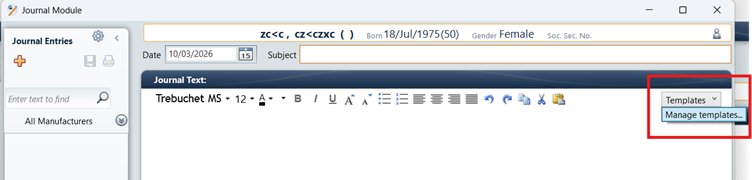
- In the Templates dialog, click the Add button.
- In the new template dialog, copy/paste, or manually enter the desired form. Then use the Subject field to name the Template.
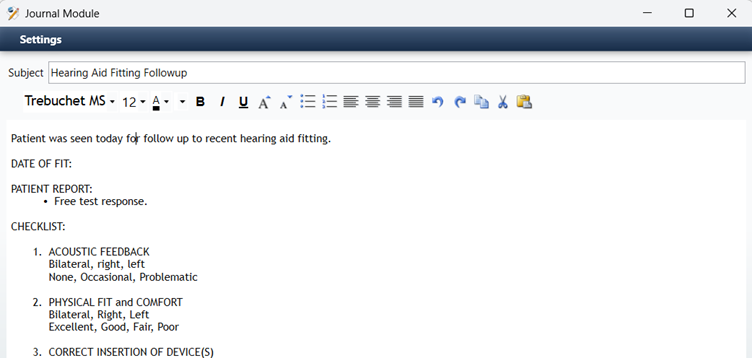
- When you are finished, click the Save button on the bottom to save the new template. Then Close the Manage Template dialog.
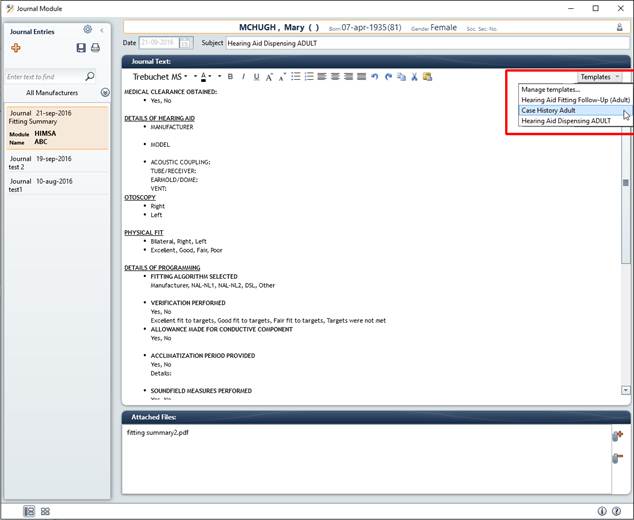
The template is now saved in the Journal Module.
From now on, you can choose your preferred template by clicking on the Templates drop down menu and then clicking on the name of the template you want to use.

 HIMSA
HIMSA