


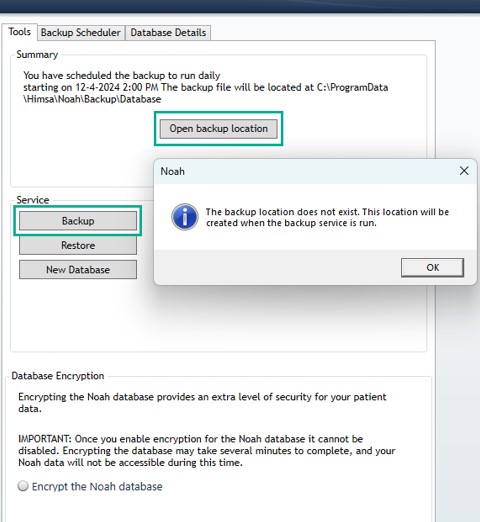
When attempting to ‘Open backup location’ in the Noah Console with Noah System 4.15 or later, you may run into the error depicted below.
This can occur if a Noah System 4.15 or later backup has not completed for the first time.
Solution:
To fix this error:
- Please run a manual backup by clicking the Backup button under the service section. After running the manual backup, the backup folder is created, and you can now ‘Open backup location’.
- Once a scheduled backup has completed the location will also be created.
- If message persists, reboot and try manual Backup again.
 HIMSA
HIMSA