


Noah System supports login using Entra ID user management (formerly Azure Active Directory).
This page describes how to:
- set up Entra ID
- configure Entra ID in the Noah Console
Entra ID Setup
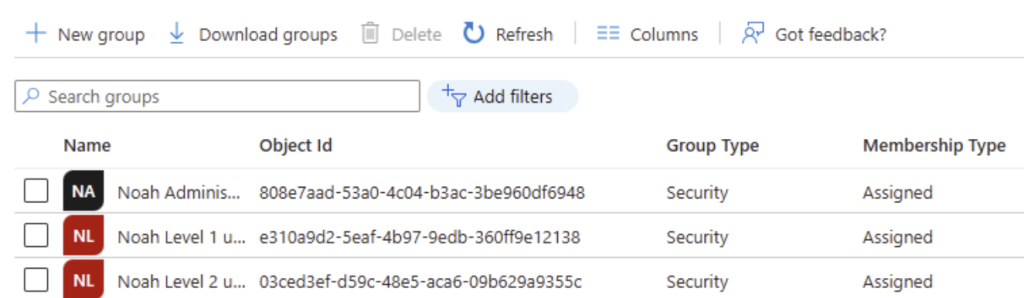
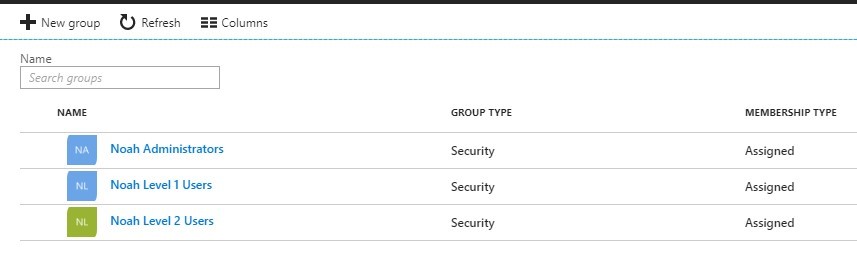
- In Entra, set up security groups as shown (NOTE: Noah users with Entra ID must be members of the appropriate group in order to be allowed to log in to Noah):
2. In order to allow users to access the Entra tenant, you must set up an App registration and configure it with User.Read permission.
3. In Entra ID administration, use the App Registration to Create a Native application:

4. Continue to set permissions by clicking API permissions in the left menu:
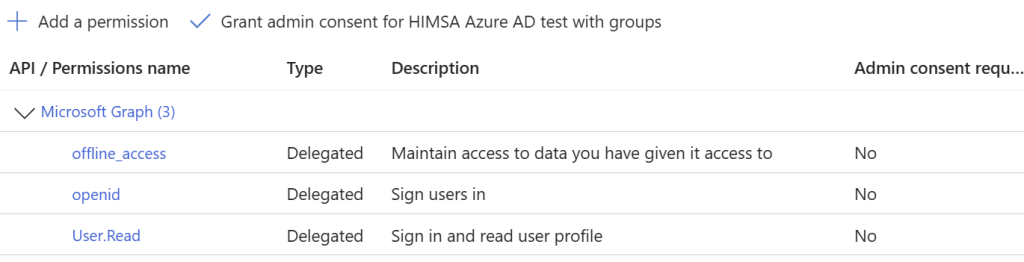
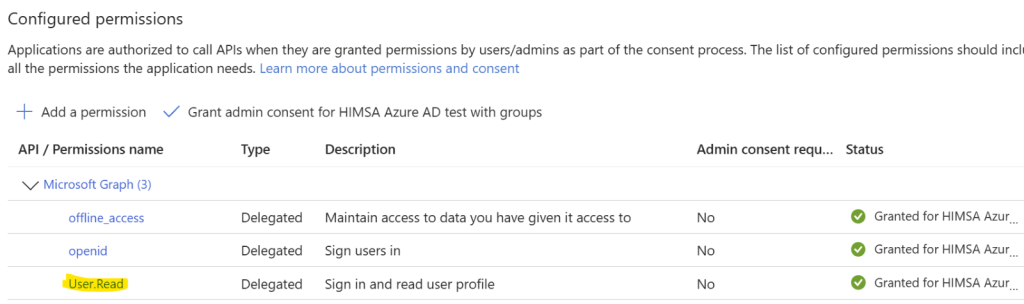
- Select Add permissions, select Microsoft Graph and add Delegated permission User.Read. The result is Configured permissions, as shown:
5. In Entra ID administration, use the App Registration to Create a Native applicationn:
6. Continue to set permissions by clicking API permissions in the left menu:
- Select Add permissions, then select Microsoft Graph and add Delegated permission User.Read. The result is Configured permissions, as below:
7. Make a note of the Directory ID under Properties in Entra ID Directories. This will be needed for the Noah Console setup (section below).

Configuring Entra ID in the Noah Console
NOTE: Applying settings in the Noah Console will require an Entra user login that is also a member of the Entra Noah Administrator group.
- In Noah System, open the Noah Console by selecting Setup in the main menu and then clicking on Administration > Noah Console.
- In the left-hand column, select Security Administration > Login. In the Login window, select ‘Use Entra ID for logging into Noah’ and click on Configure.
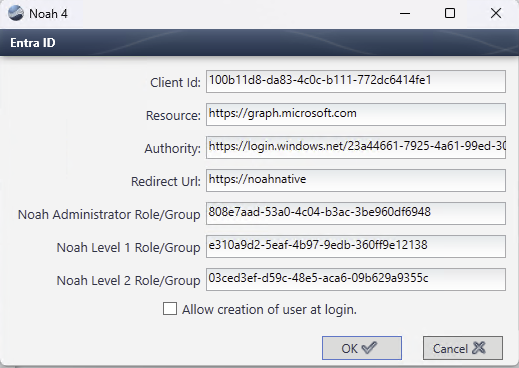
- Configure the Entra ID window as follows:
- Client ID: This is the ID of the native App used for login credentials.
- Resource: https://graph.microsoft.com/: This is a link to the Microsoft Graph API used by Noah.
- Authority: https://login.windows.net/[directory ID] where Directory ID is found in Entra ID Directories (step 7 above).
- Redirect Url: https://noahnative
- Check ‘Allow creation of user at login‘ to enable Noah users to be created when Entra users log in.
NOTE: If this option is not selected, the Entra user must link to an existing Noah user at first login. - The following screen is an example:
 HIMSA
HIMSA